If you use Clip Studio Paint for illustration, comics, or commissions, you’ve probably run into the question: should I use a raster layer or a vector layer?
At first, it can feel like one of those technical settings you can ignore—but once you understand the difference, it can completely change how smoothly you work.
The truth is, both layer types are useful. Neither is “better” overall. They simply serve different purposes, and knowing when to use each one can save you a lot of frustration (and undo clicks).
Let’s break it down in a way that actually makes sense.
What Is a Raster Layer?
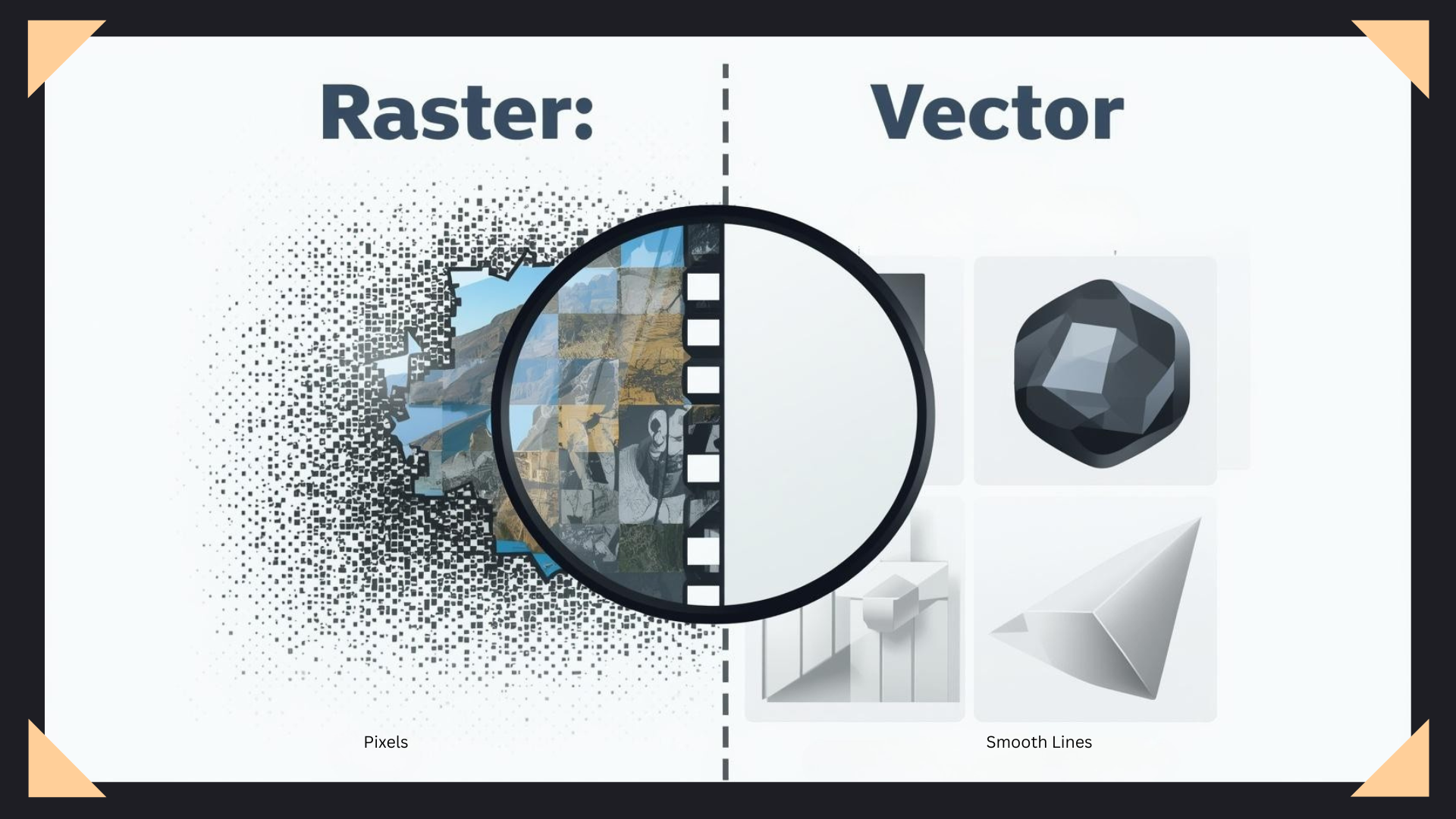
A raster layer is made up of pixels.
Think of it like a digital painting canvas. Every brushstroke you make is created from tiny colored dots placed next to each other. Most digital painting programs use raster layers by default because they feel natural and painterly.
When you paint, shade, blend, render, or add textures, you’re usually working on raster layers.
Raster layers are ideal for:
- Coloring
- Painting
- Shading
- Blending
- Texture work
- Detailed rendering
The downside? Once those pixels are placed, they’re less flexible.
If you resize raster art too much, especially making it larger, it can become blurry or pixelated. Editing linework can also be frustrating because you’re manipulating pixels instead of editable lines.
This is why many artists love raster for painting—but not always for line art.
What Is a Vector Layer?
A vector layer works differently.
Instead of storing pixels, it stores the path of your lines. That means your brush strokes are treated more like editable paths rather than permanent painted marks.
In Clip Studio Paint, this is especially powerful for clean line art.
You can redraw line width, adjust curves, erase only where lines intersect, and make corrections without destroying the rest of the stroke. It feels like having a smarter version of your pen tool.
Vector layers are great for:
- Line art
- Inking
- Clean comic lines
- Precise illustrations
- Editable outlines
One of the biggest benefits is flexibility. If your line needs adjusting later, you don’t have to redraw the whole thing.
That alone can save hours.
So Which One Should You Use?
Honestly? Most artists should use both.
A common workflow looks like this:
Sketch on a raster layer → ink on a vector layer → color on raster layers
This gives you the best of both worlds.
Your line art stays clean and editable, while your colors remain soft, blendable, and natural.
Trying to do everything on one type of layer usually creates unnecessary problems.
For example, coloring on vector layers can feel awkward because they’re not designed for painterly rendering. On the other hand, doing detailed line art on raster layers can make corrections way harder than they need to be.
Using both is usually the smarter move.
A Simple Rule to Remember
Here’s the easiest way to think about it:
If you need flexibility in your lines, use vector.
If you need rich painting and color blending, use raster.
That one rule solves most confusion.
You don’t need to overcomplicate it.
Final Thoughts
A lot of beginners assume “professional artists” use one secret perfect layer type.
They don’t.
They use the right tool for the right job.
Raster layers give you freedom to paint. Vector layers give you control over linework. Together, they create a workflow that’s faster, cleaner, and much less stressful.
If you’re still doing all your line art on raster layers, try switching your inking process to vector for your next piece. It might feel strange at first, but once you discover tools like line correction and vector erasing, it’s hard to go back.
Sometimes the smallest workflow changes make the biggest difference—and in Clip Studio Paint, layer choice is definitely one of them.